
- Incorrect Purchase key error
- How to update the Ultimate Addons for Visual Composer prior to version 3.16.8?
- Activate your License Key of the Ultimate Addons for WPBakery Page Builder (Formerly Visual Composer)
- Force Check Updates
- How to update plugin manually through FTP
- Update Theme or Plugin through Brainstorm Core
- Popup Form Method to Activate License Key of the Ultimate Addons for WPBakery Page Builder
- Increasing Memory Limit
- Background Image Sizes Explained
- How to hide a row on specific device?
- Not all Ultimate Addon elements are in Visual Composer list?
- If you are using a customized / skinned / modified Visual Composer
- Black bar / strip with the Video Background
- Error! Envato API error: Username and/or API Key invalid.
- Error on unzipping package
- Don’t have the “Design Options” tab in Edit Row?
- How to replicate our demo site?
- Uncaught TypeError: Cannot read property ‘left’ of undefined
- How to make the Row to cover Browser’s Full Height / Dimension / Viewport?
- Can not set links in Visual Composer?
- Video Background Not Running on Mobile Devices?
- Height of Advance Carousel Block
- Does Ultimate Addons make backend slow?
- How to reinstall & reset font icons in Ultimate Addons
- How to Trigger a Modal Popup on the Click of a Menu Element in UAVC?
- How to Set Thumbnail Image for Video?
- How to Style Play Button?
- How to Display YouTube Subscribe Bar for Video?
- How to Find YouTube Channel Name and Channel ID?
- How to fix – Multiple Google Maps API error in Ultimate Addons Maps
- How to add Row Separator?
- Guide to Setting Up Google API Key for Maps Integration for the Google Maps Elements
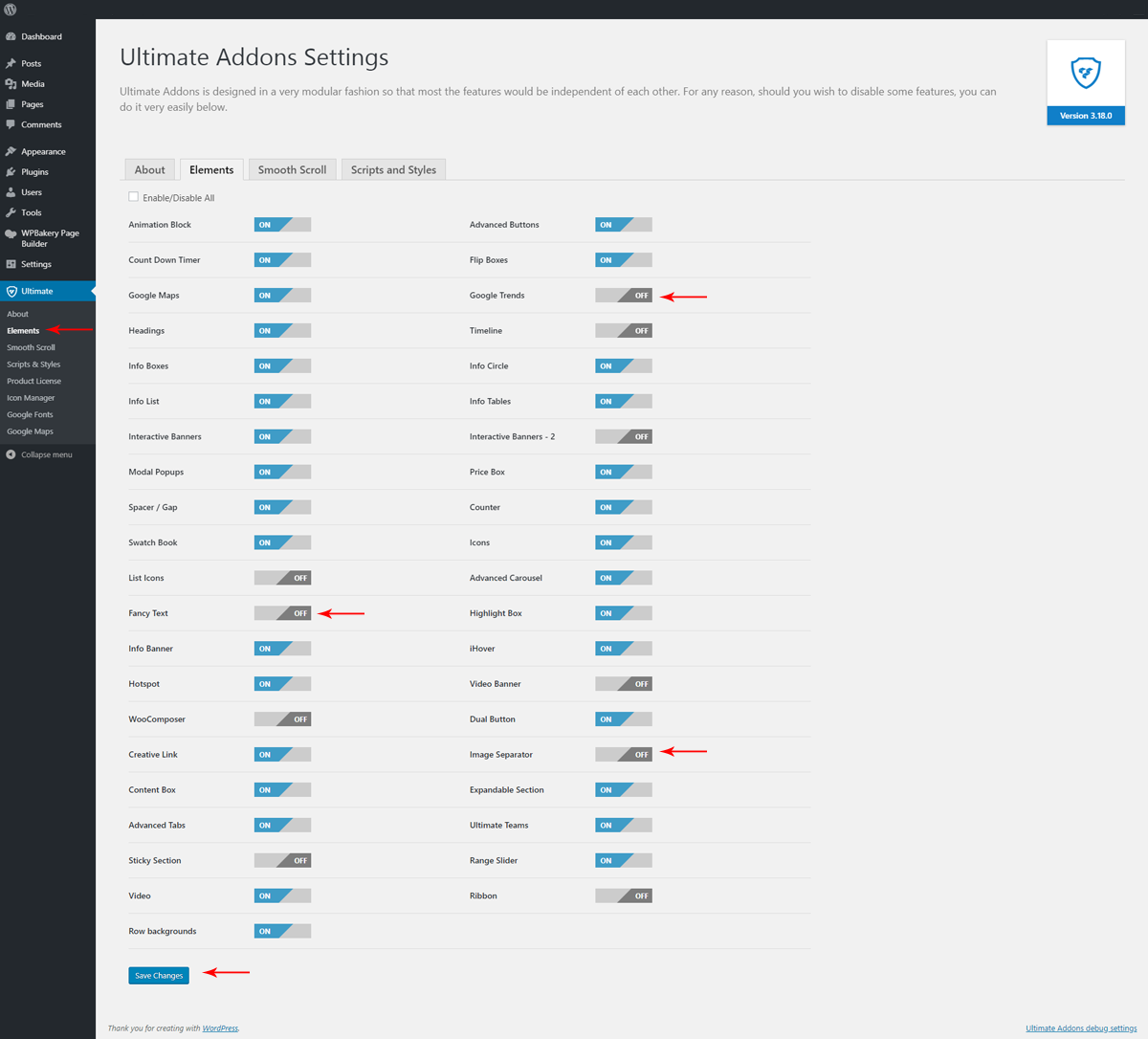
Enable/ Disable Ultimate Addons Elements
Ultimate Addons for WPBakery Page Builder offers various features with distinct elements. So it is easy to choose the required feature by enabling the respective module. Unless you enable the module from the plugin options, related feature settings will not be available in the WPBakery page editor.
It is recommended to disable unused elements to reduce server requests. To manage the modules, go to Ultimate > Elements, ON/OFF the elements and Save Changes.
Was this doc helpful?
What went wrong?
We don't respond to the article feedback, we use it to improve our support content.
On this page
